🧹 Cleaning URL Prefixes in Python: lstrip() vs removeprefix()
When working with URLs in Python, you’ll often need to clean, normalize, or standardize them. A common task is removing the "www." prefix so you can compare domains, display cleaner names, or prepare them for further processing.
Python gives us multiple ways to do this — but not all of them behave the same.
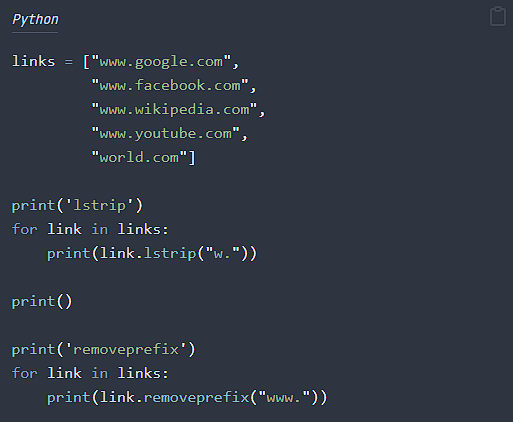
Let’s look at this simple example:
links = ["www.google.com",
         "www.facebook.com",
         "www.wikipedia.com",
         "www.youtube.com",
         "world.com"]

print('lstrip')
for link in links:
    print(link.lstrip("w."))

print()

print('removeprefix')
for link in links:
print(link.removeprefix("www."))🔍 What lstrip("w.") Actually Does
At first glance, you might think:
“lstrip(‘w.’) removes the string ‘w.’ from the start.”
But it doesn’t.
lstrip() removes any of the characters in the string you pass
not the whole string as a unit.
So:
link.lstrip("w.")
removes all leading w or . characters, in any order, until it reaches a character not in that set.
That means:
"www.google.com"becomes"google.com"✔️"www.facebook.com"becomes"facebook.com"✔️- But
"world.com"becomes"orld.com"❌ (it removes the first “w”)
This is exactly the kind of unexpected behavior that causes subtle bugs.
✅ Why removeprefix("www.") Is the Better Choice
Starting with Python 3.9, you have:
link.removeprefix("www.")
This method removes the exact prefix, and only if it matches:
"www.google.com"→"google.com""www.facebook.com"→"facebook.com""world.com"→"world.com"(unchanged)
That’s exactly what we want for URL cleaning.
📌 Output Comparison
Using lstrip("w.")
google.com
facebook.com
wikipedia.com
youtube.com
orld.com
Notice the last one: “world.com” → “orld.com” 🤦♂️
Modern Python gives us better tools. Let’s use them!
Using removeprefix("www.")
google.com
facebook.com
wikipedia.com
youtube.com
world.com
Perfect.
💡 When to Use Each Method
| Method | Best For | Avoid When |
|---|---|---|
lstrip() | Cleaning generic patterns like whitespace or multiple punctuation characters | When removing a specific text prefix |
removeprefix() | Removing exact known prefixes safely | You’re using Python < 3.9 |
🏁 Conclusion
If you’re cleaning URLs, always choose:
link.removeprefix("www.")
It does exactly what you expect. No more, no less.
lstrip() is powerful, but too general for this use case and can silently corrupt data like "world.com".